SEAM Pipeline
The seam pipeline aims to align and merge serial slices (each slice in an H5AD file) into one 3D atlas ( one H5AD file with aligned 3D coordinates).
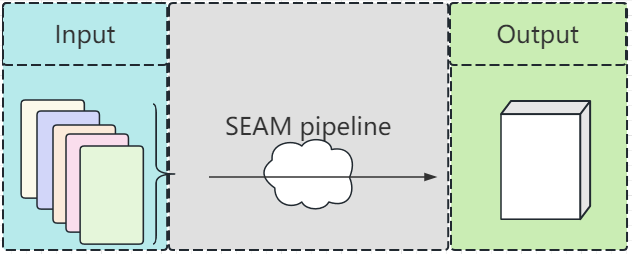
Workflow
seam pipeline contains three main steps:
prepare alignment images
align all images
apply alignment to raw data and merge

Usages
main usage
python3 SEAM.py -h
- Usage:
SEAM.py action [options]
Actions:
prepare_alignment_image
get_xml_matrix
apply_alignment
prepare_alignment_image usage
python3 SEAM.py prepare_alignment_image
get_xml_matrix usage
python3 SEAM.py get_xml_matrix.py
argument |
description |
|---|---|
-h |
help |
-i |
file.xml |
-o |
output |
apply_alignment usage
python SEAM.py apply_alignment
argument |
description |
|---|---|
-i |
input.json or input.csv |
-o |
output prefix |
-W |
the width of the aligned image, default equal to the input image |
-H |
the height of the aligned image, default equal to the input image |
-m |
True/False, merge all h5ad to one if True, default False |
-S |
True/False, add Sn to cell name if -m=True, default False |
Details of input csv or json file
Example of input.json
[‘S1’,”gemfile_1”,”h5adfile_1”,”ssdnafile_1”,”maskfile_1”,”[[1,0,10], [0,1,0],[0.0, 0.0, 1.0]]”,”z_value”,”[[1,0,0], [0,1,0],[0.0, 0.0, 1]]”,”outlinefile_1”,10,0],
[‘Sn’,”gemfile_N”,”h5adfile_N”,”ssdnafile_N”,”maskfile_N”,”[[1,0,10], [0,1,0],[0.0, 0.0, 1.0]]”,”z_value”,”[[1,0,0], [0,1,0],[0.0, 0.0, 1]]”,”outlinefile_N”,0,10]
Details of items in data
Sn: name of this data.
gemfile_N: the GEM/GEMC file of this data, use “” if unavailable.
h5adfile_N: the h5ad file of this data, use “” if unavailable.
ssdnafile_N: the ssDNA file of this data, use “” if unavailable.
maskfile_N: the cell mask file (generated by CellProfiler) of this data, use “” if unavailable.
the 3D forward alignment affine matrix, required.
the z value for this data, required.
the 2D backward registration affine matrix, optional, if you align 3D by raw ssDNA, please provide this.
outlinefile_N, the outline file (genereated based on maskfile_N), use “” if unavaliable.
x shift, the x coordinate of GEM/h5ad corresponds to the x=0 coordinate of the alignment image (and cell mask file).
y shift, the y coordinate of GEM/h5ad corresponds to the y=0 coordinate of the alignment image (and cell mask file).
Note
In the above json file, you must provide full 11 info for each data To make life easier, you may use the more flexible input.csv
Example of a tiny input.csv
h5ad,3D_forward,Z_values
xx1.h5ad,”[[1,0,10],[0,1,0],[0.0, 0.0, 1.0]]”,10
xxN.h5ad,”[[1,0,10],[0,1,0],[0.0, 0.0, 1.0]]”,80
As you see, now you only need to provide available data with any order of your wish.
Correspondence between column name and JSON data item.
argument |
description |
|---|---|
flag (default ‘’) |
– 1. Sn |
gem (default ‘’) |
– 2. gemfile_N |
h5ad (default ‘’) |
– 3. h5adfile_N |
ssdna (default ‘’) |
– 4. ssdnafile_N |
mask (default ‘’) |
– 5. maskfile_N |
3D_forward (required! ) |
– 6. the 3D alignment matrix |
Z_values (required! ) |
– 7. the z value |
2D_backward (default ‘’) |
– 8. the 2D registration matrix |
outline (default ‘’) |
– 9. outline file |
x_shift (default 0 ) |
– 10. x shift |
y_shift (default 0 ) |
– 11. y shift |